Menu

Laman

  • loading...

How to Add Black Navigation Menu Bar Widget For Blogger


- No comments
-
Black navigation menu bar widget for blogger. Black is a very professional color and this is the reason it is most widely used in all major blogs and successful blog and websites. This black navigation menu bar widget is based on pure CSS and HTML. And hence compatible with all websites and blogs. Compatible to work on all platforms like Blogger, Wordpress and all other customized websites. Along with it is completely customizable. You can edit its text and even color as well. So below is the method and code to add this black navigation menu bar widget to blogger and other websites.

How to add a black nav bar in blogger
  • Go to blogger.
  • Go to layout.
  • Click on add a gadget.
  • Choose HTML/Javascript box.
  • Copy the below code.
  • And paste the code into an HTML/Javascript gadget.
  • That's all. You are done.
<style type="text/css">/* this code is by http://blogger-templatees.blogspot.com Main */
#menu{
width: 100%;
margin: 0;
padding: 10px 0 0 0;
list-style: none;
background: #111;
background: -moz-linear-gradient(#444, #111);
background: -webkit-gradient(linear,left bottom,left top,color-stop(0, #111),color-stop(1, #444));
background: -webkit-linear-gradient(#444, #111);
background: -o-linear-gradient(#444, #111);
background: -ms-linear-gradient(#444, #111);
background: linear-gradient(#444, #111);
-moz-border-radius: 50px;
border-radius: 50px;
-moz-box-shadow: 0 2px 1px #9c9c9c;
-webkit-box-shadow: 0 2px 1px #9c9c9c;
box-shadow: 0 2px 1px #9c9c9c;
}

#menu li{
float: left;
padding: 0 0 10px 0;
position: relative;
}

#menu a{
float: left;
height: 25px;
padding: 0 25px;
color: #999;
text-transform: uppercase;
font: bold 12px/25px Arial, Helvetica;
text-decoration: none;
text-shadow: 0 1px 0 #000;
}

#menu li:hover > a{
color: #fafafa;
}

*html #menu li a:hover{ /* IE6 */
color: #fafafa;
}

#menu li:hover > ul{
display: block;
}

/* Sub-menu */

#menu ul{
list-style: none;
margin: 0;
padding: 0;
display: none;
position: absolute;
top: 35px;
left: 0;
z-index: 99999;
background: #444;
background: -moz-linear-gradient(#444, #111);
background: -webkit-gradient(linear,left bottom,left top,color-stop(0, #111),color-stop(1, #444));
background: -webkit-linear-gradient(#444, #111);
background: -o-linear-gradient(#444, #111);
background: -ms-linear-gradient(#444, #111);
background: linear-gradient(#444, #111);
-moz-border-radius: 5px;
border-radius: 5px;
}

#menu ul li{
float: none;
margin: 0;
padding: 0;
display: block;
-moz-box-shadow: 0 1px 0 #111111, 0 2px 0 #777777;
-webkit-box-shadow: 0 1px 0 #111111, 0 2px 0 #777777;
box-shadow: 0 1px 0 #111111, 0 2px 0 #777777;
}

#menu ul li:last-child{
-moz-box-shadow: none;
-webkit-box-shadow: none;
box-shadow: none;
}

#menu ul a{
padding: 10px;
height: auto;
line-height: 1;
display: block;
white-space: nowrap;
float: none;
text-transform: none;
}

*html #menu ul a{ /* IE6 */
height: 10px;
width: 150px;
}

*:first-child+html #menu ul a{ /* IE7 */
height: 10px;
width: 150px;
}

#menu ul a:hover{
background: #0186ba;
background: -moz-linear-gradient(#04acec, #0186ba);
background: -webkit-gradient(linear, left top, left bottom, from(#04acec), to(#0186ba));
background: -webkit-linear-gradient(#04acec, #0186ba);
background: -o-linear-gradient(#04acec, #0186ba);
background: -ms-linear-gradient(#04acec, #0186ba);
background: linear-gradient(#04acec, #0186ba);
}

#menu ul li:first-child a{
-moz-border-radius: 5px 5px 0 0;
-webkit-border-radius: 5px 5px 0 0;
border-radius: 5px 5px 0 0;
}

#menu ul li:first-child a:after{
content: '';
position: absolute;
left: 30px;
top: -8px;
width: 0;
height: 0;
border-left: 5px solid transparent;
border-right: 5px solid transparent;
border-bottom: 8px solid #444;
}

#menu ul li:first-child a:hover:after{
border-bottom-color: #04acec;
}

#menu ul li:last-child a{
-moz-border-radius: 0 0 5px 5px;
-webkit-border-radius: 0 0 5px 5px;
border-radius: 0 0 5px 5px;
}

/* Clear floated elements */
#menu:after{
visibility: hidden;
display: block;
font-size: 0;
content: " ";
clear: both;
height: 0;
}

* html #menu { zoom: 1; } /* IE6 */
*:first-child+html #menu { zoom: 1; } /* IE7 */
</style>
<script type="text/javascript" src="http://code.jquery.com/jquery-latest.min.js"></script><script type="text/javascript">
$(function() {
if ($.browser.msie && $.browser.version.substr(0,1)<7)
{
$('li').has('ul').mouseover(function(){
$(this).children('ul').show();
}).mouseout(function(){
$(this).children('ul').hide();
})
}
});
</script>
<ul id="menu">
<li><a href="#">Home</a></li>
<li><a href="#">Categories</a>
<ul>
<li><a href="#">CSS</a></li>
<li><a href="#">Graphic design</a></li>
<li><a href="#">Development tools</a></li>
<li><a href="#">Web design</a></li>
</ul>
</li>
<li><a href="#">Work</a></li>
<li><a href="#">About</a></li>
<li><a href="#">Contact</a></li>
</ul>

You have to change the # manually, just change URLs and addresses according to your profile. Save template and happy blogging.

Sora Mag


- No comments
-
Sora Mag is a complete Blogger theme for a news or magazine site with the focus of attracting and keeping visitors on their site. It uses the best clean SEO practices, and on top of that, it’ s fast, simple, and easy to use. Not only is it responsive but it also keeps that magazine feel right down to mobile screen sizes. Practically every typographic element has been endlessly tweaked for different screen sizes to make sure it looks great no matter what the device.


AuthorSoraTemplates 


VideoPro


- No comments
-
VideoPro is a feature-rich template which was created back in 2012 for WP blogs. VidePro blogger template can be used for video sites, news & magazine sites or any type of sites that you can imagine. You don't have to upload any image because this template is specially designed for Youtube videos.


VideoPro                                                                                                                                                                                                                                                                                                                                                      http://blogger-templatees.blogspot.com/


Window Effect Social Media Sharing Widget For Blogger


- No comments
-
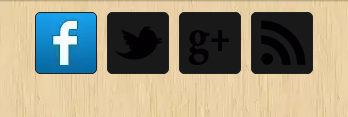
To increase search engine visibility it is compulsory to use social media widget for blogger so here we have a window effect widget to add it to blogger. A social media widget plays an important role in increasing page views for your posts and also increases your followers if someone likes your posts and becomes a member of your blog. Such blogger widget gives chance to users to share your posts on the social media platform. Below is the step by step method to add this widget to blogger with the demo.
Social Media Sharing Widget

Copy code below and see result here: HTML Editor 

How to add window effect social media widget to blogger.
Login to Blogger → Dashborad
Click on Drop Down Menu and select Layout
Add a HTML/JavaScript Gadget
Paste below code in it.
<style>.avdhootwindow {margin:0px 0px 0px 0px;padding:0px 0px 0px 0px;}.avdhootwindow ul li{list-style:none;border-bottom:none;margin:0px 0px 0px 0px;padding:0px 0px 0px 0px;}.avdhootwindow li a {margin:5px 5px 0px 5px;padding:0px 0px 0px 0px;width:60px;height:60px;float:left;text-indent:-99999px;background: #191919;border:solid 1px #222121;-moz-border-radius-topleft: 5px;-moz-border-radius-topright:5px;-moz-border-radius-bottomleft:5px;-moz-border-radius-bottomright:5px;-webkit-border-top-left-radius:5px;-webkit-border-top-right-radius:5px;-webkit-border-bottom-left-radius:5px;-webkit-border-bottom-right-radius:5px;border-top-left-radius:5px;border-top-right-radius:5px;border-bottom-left-radius:5px;border-bottom-right-radius:5px;}.avdhootwindow li a.facebook {background: #191919 url(https://blogger.googleusercontent.com/img/b/R29vZ2xl/AVvXsEjtbjydeCji4WXT6SnJxv6qSqHVuSaWnpP9Jtva-7C4q1ZM-RSKVPb11yYxmbPj8PWfsOpX26lkkMP7gjGTpFdqoVHU50LbZICGhRySxkWqFjZ65MgVTyJjYrrBCdfUgDBHCRBlg2El81Zo/s320/BS+facebook.png) no-repeat -0px -88px;-webkit-transition:All 0.3s ease-out;-moz-transition:All 0.3s ease-out;-o-transition:All 0.3s ease-out;}.avdhootwindow li a.facebook:hover {background: #191919 url(https://blogger.googleusercontent.com/img/b/R29vZ2xl/AVvXsEjtbjydeCji4WXT6SnJxv6qSqHVuSaWnpP9Jtva-7C4q1ZM-RSKVPb11yYxmbPj8PWfsOpX26lkkMP7gjGTpFdqoVHU50LbZICGhRySxkWqFjZ65MgVTyJjYrrBCdfUgDBHCRBlg2El81Zo/s320/BS+facebook.png) no-repeat -0px -0px;}.avdhootwindow li a.twitter {background: #191919 url(https://blogger.googleusercontent.com/img/b/R29vZ2xl/AVvXsEi8JHMJbgioDBhX58oCydf-0DZUYqOhwWHE2e9uPjM2y8EY5rhZH_OkySC-Kp-CyB_A8EcRUjtyoK4wEkCbzqmCZtJXT2bTDS2-XU9Y3s6alxRLtba1HdwEWrEiFjU9NyW-w3enyUwJI1A1/s320/BS+twitter.png) no-repeat -0px -88px;-webkit-transition:All 0.3s ease-out;-moz-transition:All 0.3s ease-out;-o-transition:All 0.3s ease-out;}.avdhootwindow li a.twitter:hover {background: #191919 url(https://blogger.googleusercontent.com/img/b/R29vZ2xl/AVvXsEi8JHMJbgioDBhX58oCydf-0DZUYqOhwWHE2e9uPjM2y8EY5rhZH_OkySC-Kp-CyB_A8EcRUjtyoK4wEkCbzqmCZtJXT2bTDS2-XU9Y3s6alxRLtba1HdwEWrEiFjU9NyW-w3enyUwJI1A1/s320/BS+twitter.png) no-repeat -0px -0px;}.avdhootwindow li a.google-p {background:#191919 url(https://blogger.googleusercontent.com/img/b/R29vZ2xl/AVvXsEj46xW3CS0q4cC2CoFnajUEsc2BaJPznqLcjYnoOP02S7LbDRkEDFB-Y5EhZ5XqAYpLJskjWfIYfdCs0pSnx8vws3RrcTvIwZNuHBjFV-xZYLgnxBFoP9cyAC7oeL-kE5jv24RTOz774UKS/s320/BS+google.png) no-repeat -0px -88px;-webkit-transition:All 0.3s ease-out;-moz-transition:All 0.3s ease-out;-o-transition:All 0.3s ease-out;}.avdhootwindow li a.google-p:hover {background: #191919 url(https://blogger.googleusercontent.com/img/b/R29vZ2xl/AVvXsEj46xW3CS0q4cC2CoFnajUEsc2BaJPznqLcjYnoOP02S7LbDRkEDFB-Y5EhZ5XqAYpLJskjWfIYfdCs0pSnx8vws3RrcTvIwZNuHBjFV-xZYLgnxBFoP9cyAC7oeL-kE5jv24RTOz774UKS/s320/BS+google.png) no-repeat -0px -0px;}.avdhootwindow li a.rss {background:#191919 url(https://blogger.googleusercontent.com/img/b/R29vZ2xl/AVvXsEgy3iNR0WYHkTwUOfRywe7yTQG5gHXEpVszW_covJyapJRe1JYf2HpUhHm2BxlJOAudvpIKnjazs3t6Hmlpodm3NbMKb1MzlERyTLb2SAj8uQFdnL0oUnKEU0UFXX0JFL9HU5HaKcGAPJVF/s320/BS+RSS+Feed.png) no-repeat -0px -88px;-webkit-transition:All 0.3s ease-out;-moz-transition:All 0.3s ease-out;-o-transition:All 0.3s ease-out;}.avdhootwindow li a.rss:hover {background: #191919 url(https://blogger.googleusercontent.com/img/b/R29vZ2xl/AVvXsEgy3iNR0WYHkTwUOfRywe7yTQG5gHXEpVszW_covJyapJRe1JYf2HpUhHm2BxlJOAudvpIKnjazs3t6Hmlpodm3NbMKb1MzlERyTLb2SAj8uQFdnL0oUnKEU0UFXX0JFL9HU5HaKcGAPJVF/s320/BS+RSS+Feed.png) no-repeat -0px -0px;}</style><div class='avdhootwindow'><ul><li><a class='facebook' href='http://www.facebook.com/YOURFANPAGE' target='_blank'>Facebook</a></li><li><a class='twitter' href='http://twitter.com/YOURID' target='_blank'>Twitter</a></li><li><a class='google-p' href='https://plus.google.com/100000000000001' target='_blank'>Google Plus</a></li><li><a class='rss' href='http://feeds.feedburner.com/YOURFEED' target='_blank'>Rss</a></li></ul></div>
Save the arrangement.

Type your Facebook fan page name in place of YOURFANPAGE.
Type in your Twitter ID in place of YOURID.
Type in your Feed address ID in place of YOURFEED.
Type in your Google Plus ID in place of 100000000000001.

This is it. Now when you have the full code just copy it inside the gadget and save. You are done. If you liked this 3D navigation menu widget for blogger then please share it and write comments as your feedback.

Professional Purple Strip Email Subscription Box Widget For Blogger


- No comments
-
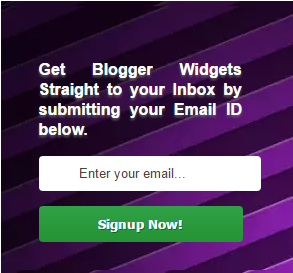
Email subscribers is becoming a major concern for every blogger over the internet.Using the default subscription box by feedburner will not gain as much subscribers as a customized subscription box will gain.Take a look at the image attached with this post.The sharing buttons have a little bit nudging effect.This subscription widget contains CSS sprites.
Subscription Box Widget
Below is the HTML and CSS code easy and fast to load . Email subscription box widget plays an important role in bringing traffic to your blog so without wasting time add it to your blog it is a very attractive widget for blogger as it looks beautiful and professional and that is the reason it is very suitable for all kinds of websites.

How to add an email subscription widget to blogger.

HTML Part
Step 1. Log in to your blogger dashboard.
Step 2. Select your blog.
Step 3. Go to Blogger Dashboard > Design > Edit/Page Layout.
Step 4. Click Add a Gadget below header.
Step 5. Choose HTML/JavaScript widget.
Step 6. Paste below code and save it.
<div class="subscribe_outer">
<div class="subscribe_wrapper">
<p>Get Blogger Widgets Straight to your Inbox by submitting your Email ID below.</p>
<div id="avdhootEmailsub">
<form action="http://feedburner.google.com/fb/a/mailverify" method="post" onsubmit="window.open('http://feedburner.google.com/fb/a/mailverify?uri=YOURID', 'popupwindow', 'scrollbars=yes,width=550,height=520');return true" target="popupwindow">
<input name="uri" type="hidden" value="YOURID" />
<input name="loc" type="hidden" value="en_US" />
<input class="emailText" name="email" onblur="if (this.value == &quot;&quot;) {this.value = &quot;Enter your email...&quot;;}" onfocus="if (this.value == &quot;Enter your email...&quot;) {this.value = &quot;&quot;}" type="text" value="Enter your email..." />
<input class="emailButton" title="YOURBLOGTITLE" type="submit" value="Signup Now!" />
</form>
</div>
</div>
</div>
Customization
See the text under the < p> tag. ''Like to get blogger...'' you can write your own lines .
Insert your own Feedburner ID in place of YOURID.
Insert your blog title or any text you want in place of YOURBLOGTITLE.

CSS Part
Login to your blogger account.
Choose Template.
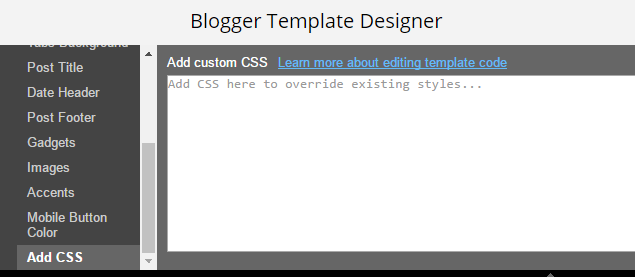
Hit on the ''use the Template Designer.''

Copy the CSS code below, paste it and save template.
/***** Subscribe widget from http://blogger-templatees.blogspot.com *****/
.subscribe_outer { background: url("https://blogger.googleusercontent.com/img/b/R29vZ2xl/AVvXsEhHH1fgsBmuphctPguFnim3aQ6UyyLmspYY80tA2NL62YtlvIW17cZ75LQvdeSuzbe3YT32NHAv3rZtVEhSsobsL0_GADOGRY72i6-6MFxfG9myF7EXdOh6c7LxTEZCkDrGGmYX3EtLky0/s1600/purple+strip.png") repeat scroll 0 0 transparent; margin: 0 -10px; padding: 5px 0; }
.subscribe_wrapper { background: url("https://blogger.googleusercontent.com/img/b/R29vZ2xl/AVvXsEhHH1fgsBmuphctPguFnim3aQ6UyyLmspYY80tA2NL62YtlvIW17cZ75LQvdeSuzbe3YT32NHAv3rZtVEhSsobsL0_GADOGRY72i6-6MFxfG9myF7EXdOh6c7LxTEZCkDrGGmYX3EtLky0/s1600/purple+strip.png") repeat scroll 0 0 #333333; padding: 38px 50px 18px 38px; color: #fff; text-shadow: 0px 2px 3px #666;
font-size: 16px; font-weight:bold; line-height: 20px; text-align:justify; }
.sidebar .subscribe_wrapper h5 { color: #fff; }
#avdhootEmailsub {    display: block;    clear: both;    margin: 10px 0; }

.emailText {    background: url("http://i1314.photobucket.com/albums/t576/trickycafe/dock-background-left_zpscffe413f.png") no-repeat scroll 10px center #fff;    padding: 10px 40px;    color: #444; margin: 0 0 15px; width: 70%;    text-decoration: none;    border: 1px solid #D3D3D3;    -webkit-border-radius: 4px; -moz-border-radius: 4px;    border-radius: 4px; border: 0; box-shadow: inset 0 0 3px rgba(0, 0, 0, .05);    -moz-box-shadow: inset 0 0 3px rgba(0, 0, 0, .05);    -webkit-box-shadow: inset 0 0 3px rgba(0, 0, 0, .05); }
.emailButton {    background: #30a146; background: linear-gradient(top, #30a146 0%, #249334 100%); background: -moz-linear-gradient(top, #30a146 0%, #249334 100%); background: -webkit-gradient(linear, left top, left bottom, color-stop(0%, #30a146), color-stop(100%, #249334)); background: -webkit-linear-gradient(top, #30a146 0%, #249334 100%);    border: 0;    color: #fff;    cursor: pointer; padding: 10px 40px; text-shadow: 1px 1px 0 rgba(0, 0, 0, .4); font-weight:bold; width: 100%; font-family: "Droid Sans","Lucida Grande",Tahoma,sans-serif; -webkit-border-radius: 4px; -moz-border-radius: 4px;    border-radius: 4px; }
.emailButton:hover { background: #c2c2c2;    background: linear-gradient(top, #c2c2c2 0%, #aeaeae 100%); background: -moz-linear-gradient(top, #c2c2c2 0%, #aeaeae 100%); background: -webkit-gradient(linear, left top, left bottom, color-stop(0%, #c2c2c2), color-stop(100%, #aeaeae));    background: -webkit-linear-gradient(top, #c2c2c2 0%, #aeaeae 100%); }

This is it. Now when you have the full code just copy it inside the gadget and save. You are done. If you liked this Professional Purple Strip Email Subscription Box Widget For Blogger then please share it and write comments as your feedback.

Grid


- No comments
-
Grid Free Blogger Template
Grid is a grid-based, responsive minimalistic Blogger theme suitable for any kind of creative, personal or business use. It is the fully responsive HTML5 & CSS3 template that best used for blogging, personal portfolio, even business portal. Grid works seamlessly on a wide range of devices including PCs, mobiles, laptops, etc.


Shoot-Pics


- No comments
-
Shoot-Pics Photography Free Blogger Template 

Shoot-pics is a ideal blogger template for photographers. It’s loaded with best features which makes your blog a perfect showcase for your photography skills. You will also get a complete guided documentation with this template which will make you the best curator of this template.

Shoot-Pics Photography Free Blogger Template                                                                                                                                                                                           http://blogger-templatees.blogspot.com/


Features Of Shoot-pics Blogger Template 
  • Responsive Design
  • Search Engine Optimization 
  • Auto resize thumbnail image 
  • Well Documentation 
  • Threaded Comments 
  • Mouse Direction Hover Effect On Homepage 
  • Controllable Slider Based On Post Labels 
  • Compatible with major browsers (IE8+,Mozilla,Chrome,Safari) 
  • Professional admin layout, help you easy work with blog layout.


Staar Fashion Free Blogger Template


- No comments
-
Staar Blogger Template is specially crafted for the fashion bloggers with complete responsiveness. It’s perfect blend of modern design and the minimal design which brings out the best from your blog’s content. You are the complete master of this blogger template, with the user friendly framework on which we have created this blogger template.


  • Features Of Staar Fashion Blogger Template 
  • Responsive Design 
  • Search Engine Optimization
  • Auto resize thumbnail image 
  • Ads Ready 
  • Well Documentation 
  • Threaded Comments 
  • Related posts support 
  • Controllable Slider Based On Post Labels 
  • Compatible with major browsers (IE8+,Mozilla,Chrome,Safari) 
  • Professional admin layout, help you easy work with blog layout.